Ideal for your personal project or portfolio
Safe, easy, and with no coding skills, complex CMS, or burning through AI tokens.
Built for both hand-coded and AI-generated websites.
Direct Edit gives clients freedom and developers peace of mind.
Deliver fast static websites without leaving clients dependent on you for every small change. Install Direct Edit, set up access, and free up your hands for the next job.
Do you have a nice landing page or brochure website, but every text change means waiting and paying an invoice? With Direct Edit, you can edit text, links, and images on your website yourself. You can quickly update opening hours, pricing, references, or photos, right away, directly on the page, with a click.
Direct Edit does not care where the code came from. It just works.
Whether your website was generated by Cursor, Claude, Lovable..., Direct Edit is the final piece of the puzzle. You do not need to go back into the code and build a backend around it. You keep the speed and lightness AI websites are known for, because Direct Edit needs no maintenance, plugins, or database. You focus on prompting the design, and Direct Edit makes sure the client can safely edit it on their own.
Do you have a website in plain HTML or Tailwind? Direct Edit is exactly what you have been looking for. Your website stays 100% original and lightning fast, you just add an editor for content changes. The developer stays calm because Direct Edit does not interfere with the code, and the owner gets the freedom to rewrite text or swap a photo at any time. Clean, fast, and free from maintenance dependence.
No unnecessary bloat. Just a tool for everyday website management.
Forget forms outside the edited page. Click text directly on the page and rewrite it. Smart structure protection ensures you never break the graphics or layout. You see the result immediately. That means you can safely edit text, links, images, and videos.
Copy entire pages or their sections, safely and quickly - new editing options for blogs or portfolios.
Upload photos straight from your phone — Direct Edit automatically resizes, compresses, and saves them as WebP. Your website stays fast, no external tools or manual prep needed.
The interface is designed so that truly anyone can use it, even someone who has never seen HTML. No technical knowledge is required. Just click and type.
It does not matter whether the website was built by a person or by AI. If there is no CMS or deployment layer underneath, Direct Edit can edit it.
Direct Edit can edit SEO metadata too - title, description, canonical, icon, preview images... all safely from one interface.
While editing, a backup of the edited page is created automatically. Rolling changes back takes only a few seconds. You can edit safely without worrying about losing data.
Add access for the whole team. You can sign in using a password, a one-time email code, or 2FA (Google Authenticator, Aegis).
Are you changing files via FTP, deployment, or AI? Direct Edit detects it and warns you before anything gets overwritten.
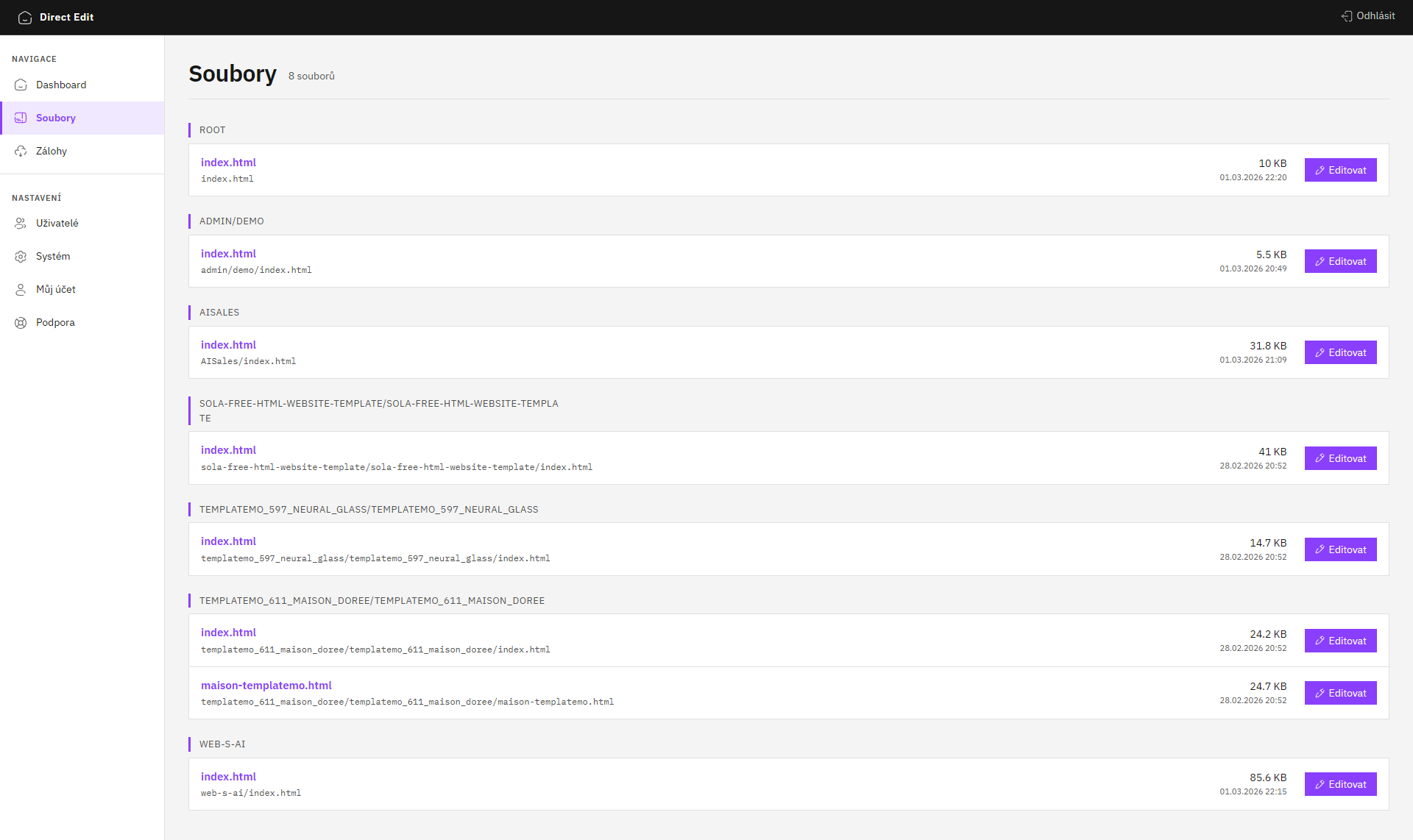
Download the ZIP, upload the folder to your hosting next to the website, open it in the browser, and create an account. Done. No terminal commands, no dependencies to install.
And if needed, Direct Edit is just as easy to uninstall again.
Assisted installationThe admin works on mobile and tablet too, so you can sign in from anywhere and edit what you need.
Upload it next to your HTML files and you are done. No extra server, database, or setup.
No cloud, no external services that might stop working. Everything runs only alongside your website.
The application watches for new core versions in the background and installs them safely.
One installation and you can start. Really, just download, upload, and you are done. No database or other complexity.
Download the latest version of Direct Edit. Extract the folder and name it however you want - editor, admin, anything you like.
Go to the folder URL on your website, for example /editor/.
The setup wizard will guide you through creating the first administrator account.
Done. Click text directly on the page and edit it.
Try it today with a 45-day money-back guarantee.
Get Direct EditNeed help with installation? No problem, just let me know.
Assisted installationDirect Edit is intentionally a simple tool for one specific situation: editing existing text on a finished static website. If you need more, there are other tools for that.
Direct Edit edits content in existing HTML files or copy existing ones. Creating new pages or sections still needs to be done in code.
Adding a new block, column, or section to the layout is beyond the editor's scope. The page structure and integrity are intentionally protected.
It does not support blog posts, product catalogs, or dynamic content. For that kind of project, WordPress or Kirby is a better fit.
Direct Edit works with HTML files on the server. It does not support websites generated dynamically by server-side frameworks or CMS platforms.
Start using Direct Edit today. Choose the lifetime license that matches the size of your project, workflow, or client portfolio.
Ideal for your personal project or portfolio
For professionals who take care of regular clients
For teams and agencies with a larger portfolio
On the left, quick answers about Direct Edit. On the right, a few words about who builds it and why it exists.
45-day money-back guarantee · easy content editor